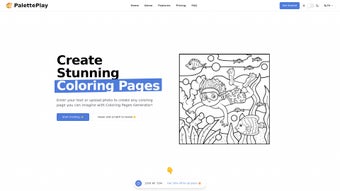

Download PalettePlay – AI‑Powered Design Tool for Web Apps
Overview
PalettePlay is a subscription‑based web application that brings artificial‑intelligence creativity directly into the designer’s workflow. Launched on Softonic on 15 April 2025, PalettePlay positions itself in the “AI Design” category, promising to automate colour palette generation, UI element suggestions, and brand‑consistent visual concepts. While the service lives entirely in the cloud, it is accessible from any modern browser, making it a truly cross‑platform solution for freelancers, agencies, and in‑house design teams.
The platform integrates with popular design suites such as Figma, Adobe XD, and Sketch, allowing users to export generated assets with a single click. Because it is subscription‑driven, PalettePlay offers regular updates, new AI models, and a growing library of design templates without the hassle of manual upgrades. Security is a core pillar; all data transfers are encrypted via HTTPS, and the service complies with GDPR standards, ensuring that client brand assets remain private.
Although we have not been able to test the tool personally, the public documentation highlights an intuitive UI, real‑time collaboration, and a powerful “Palette Generator” that can suggest colour schemes based on a single image or brand keyword. Whether you are creating a new web‑app interface or refreshing an existing product, PalettePlay aims to cut the brainstorming phase in half, letting designers focus on execution rather than colour theory.
Key Features and What They Mean for Your Workflow
PalettePlay’s feature set is built around the idea that colour decisions should be fast, data‑driven, and collaborative. The AI engine analyses visual inputs and brand guidelines to propose palettes that not only look good but also meet accessibility standards. Each feature is designed to eliminate repetitive tasks, streamline hand‑off to developers, and keep every stakeholder on the same page. Below you’ll find a detailed list of capabilities, followed by short explanations that illustrate how they can speed up real‑world projects.
- AI‑Driven Palette Generator: Upload an image or type a brand keyword, and the engine produces harmonious colour sets, complete with contrast ratios for accessibility compliance.
- Smart UI Component Suggestions: Based on the chosen palette, PalettePlay recommends buttons, input fields, and navigation patterns that match the visual language of your project.
- Cross‑Browser Compatibility: Works seamlessly in Chrome, Firefox, Safari, Edge, Opera, and even legacy Internet Explorer, ensuring that teams on different platforms have the same experience.
- Real‑Time Collaboration: Multiple designers can edit a palette simultaneously, with changes reflected instantly for all participants.
- Integration Hub: Export assets directly to Figma, Adobe XD, Sketch, or download as CSS/SCSS variables for developers.
- Brand Guidelines Mode: Upload existing brand assets (logo, style guide) and let the AI respect those constraints while generating new ideas.
- Accessibility Checker: Automatic evaluation of colour contrast, colour‑blindness simulation, and suggestions for improvement.
- Monthly Design Library Updates: New templates, colour trends, and AI model improvements are delivered to subscribers without manual updates.
- Secure Cloud Storage: All palettes and project files are stored encrypted, with two‑factor authentication available for added protection.
- Flexible Subscription Plans: Tiered pricing for individuals, small teams, and enterprises, with a free 14‑day trial to explore the full feature set.
Getting Started, Compatibility, and Real‑World Pros & Cons
Because PalettePlay is a web‑based application, there is no traditional installation process. Getting started is as simple as creating an account and signing in from your preferred browser. Follow these steps for a smooth onboarding experience:
- Create an Account: Visit paletteplay.com, click “Start Free Trial,” provide a valid email address, set a secure password, and verify your account via the confirmation link.
- Select a Subscription: Choose a plan that matches your needs—Solo ($9.99 / month), Team ($29.99 / month for up to 5 users), or Enterprise (custom pricing with dedicated support).
- Configure Workspace: After logging in, you’ll be greeted by the dashboard. Click “New Project” to name your design session and optionally upload a brand logo or style guide to activate Brand Guidelines Mode.
- Generate a Palette: Use the “Palette Generator” tab. Drag‑and‑drop an image, or type a keyword such as “tech startup” or “vintage coffee.” The AI will present three curated palettes, each with hex codes, RGB values, and accessibility scores.
- Apply UI Suggestions: Navigate to “Component Suggestions” after selecting a palette. Ready‑made buttons, form fields, and navigation bars that match your colours can be added to the canvas with a single click.
- Collaborate in Real Time: Invite teammates by sharing the project URL or sending an email invitation from the “Team” tab. All edits appear instantly, and a built‑in chat lets you discuss decisions without leaving the app.
- Export Assets: When your design is complete, use the “Export” menu to download CSS variables, SCSS files, or directly push the palette to Figma, Adobe XD, or Sketch via integration buttons.
- Maintain Security: Enable two‑factor authentication from the “Account Settings” page. Regularly review the “Activity Log” to monitor access attempts and changes.
Because PalettePlay runs entirely in the cloud, you benefit from automatic updates. New AI models, design trends, and bug fixes are deployed instantly, so you never have to worry about outdated software. The platform also offers a helpful knowledge base, video tutorials, and live chat support for any questions that arise during your workflow.
PalettePlay is built on modern web standards and therefore operates on any device with a contemporary browser. Supported browsers include Google Chrome, Mozilla Firefox, Apple Safari, Microsoft Edge, Opera, and even Internet Explorer 11 (with limited features). Whether you are on Windows 10/11, macOS Ventura, Linux, or a mobile device running Android or iOS, the responsive UI adapts to your screen size, allowing designers to work from a laptop in the office or a tablet on the go.
Pros
- AI‑generated colour palettes save time and inspire creativity.
- Seamless integration with major design tools streamlines hand‑off to developers.
- Real‑time collaboration eliminates version‑control headaches.
- Accessibility checker ensures compliance with WCAG standards.
- Regular cloud updates keep the tool current without manual effort.
- Secure storage and GDPR compliance protect brand assets.
- Flexible subscription plans cater to freelancers and large teams alike.
Cons
- Reliance on an internet connection; offline work is not supported.
- Limited customization for AI suggestions—advanced users may want more manual control.
- Pricing may be a barrier for small studios on a tight budget.
- Legacy browsers like older versions of Internet Explorer may experience reduced functionality.
- Learning curve for teams new to AI‑assisted design workflows.
Frequently Asked Questions
Below you’ll find answers to the most common questions potential users have about PalettePlay. This section not only helps you decide whether the tool fits your needs but also improves the page’s SEO by addressing relevant queries in a structured format.
Is there a free trial available for PalettePlay?
Yes, PalettePlay offers a 14‑day free trial that provides full access to all features, allowing users to evaluate the AI palette generator, collaboration tools, and integrations before committing to a paid subscription.
Can I use PalettePlay offline?
No, because PalettePlay is a cloud‑based service, an active internet connection is required to generate palettes, sync projects, and collaborate in real time. Offline functionality is not currently supported.
Which browsers are officially supported?
PalettePlay works on the latest versions of Chrome, Firefox, Safari, Edge, and Opera. A limited experience is available on Internet Explorer 11, but for the best performance we recommend using a modern browser.
How does PalettePlay ensure my brand data is secure?
All data is transmitted over HTTPS and stored encrypted at rest. The platform complies with GDPR, and two‑factor authentication can be enabled for added protection. Access logs allow administrators to monitor activity.
Can I export palettes as CSS variables?
Absolutely. PalettePlay lets you download colour palettes in several formats, including CSS custom properties, SCSS variables, JSON, and direct copy‑paste snippets for immediate use in web projects.
Conclusion & Call to Action
PalettePlay stands out in the crowded AI‑design market by coupling powerful colour generation with real‑time collaboration and robust integrations. Its subscription model ensures that users always have access to the latest AI models and design trends, while the emphasis on security and accessibility makes it a trustworthy choice for both freelancers and large enterprises. If you’re looking to accelerate the early stages of web‑app design, reduce the time spent on manual colour selection, and keep your brand assets consistent across teams, PalettePlay is worth a try. Start your free 14‑day trial today, explore the AI‑driven palettes, and see how much faster you can bring ideas to life.
PalettePlay delivers a compelling blend of AI‑driven creativity and practical collaboration tools. While the subscription model may deter hobbyists, professional designers will appreciate the time saved on colour selection and the seamless integration with existing workflows. The platform’s focus on accessibility and security further strengthens its appeal for enterprise environments.



.png)



